MQTT Client Synchronization
MQTT Client Synchronization
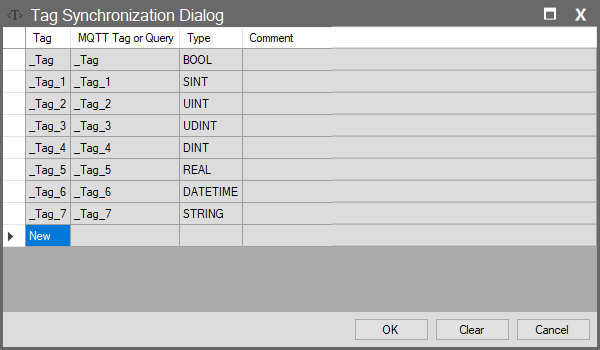
In the MQTT Client module, the Tag List button opens this dialog. This interface determines how tags in your SCADA project map to topics or variables on the MQTT Broker.
Unlike Server or Standard Client modules, there is no “All Tags” logic in MQTT communication. You must individually add the data to be published or subscribed to this list. If the list is empty, no data exchange will occur.
Column Descriptions
| Column Name | Description |
| Tag | The name of the tag in your (Local) project. |
| MQTT Tag or Query | The equivalent on the MQTT Broker side. • Publisher: The variable name to which data will be sent. • Subscriber: The JSON key or variable name from which data will be read. |
| Type | Shows the data type. |
| Comment | Note or description regarding the mapping. |