Client Synchronization
Client Synchronization
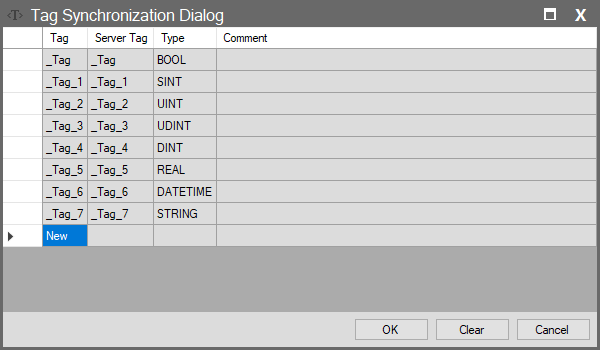
When creating a new connection in the Client window (Wise SCADA, WebSocket, HTTP, etc.), the Tag List button opens this interface. It determines which data from the Remote Server maps to which tags in your Local project.
Column Descriptions
| Column Name | Description |
| Tag | The name of the tag in your (Local) project. This tag will hold the data received from the server. |
| Server Tag | The name of the tag on the connected (Remote) server. Tip: If the remote tag name is the same as the local tag, this column populates automatically. If different, it is mapped manually (e.g., Local: Wh_Level, Server: Tank_Level_1). |
| Type | Shows the data type. |
| Comment | Description field regarding the connection. |