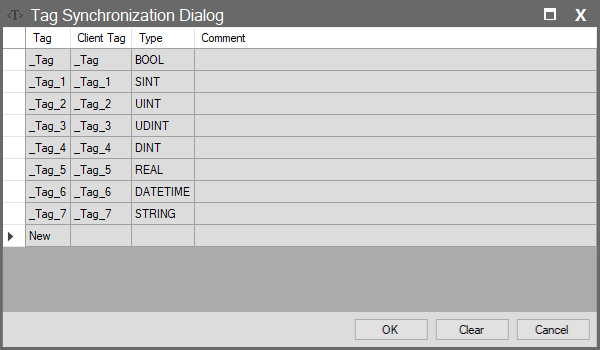
Server Synchronization – Server
Server Synchronization (Standard Protocols)
When a protocol other than Modbus (Wise SCADA, WebSocket, HTTP, etc.) is selected in the Server window, the Tag List button opens this interface. It determines which tags in your project will be exposed to the outside world (Clients).
Important Behavior (All Tags)
If this list is completely cleared and left empty, the system removes the restriction and behaves as if “All Tags” is selected. This means clients connecting to your server can access all tags in your project. If you want to share only specific data for security or traffic reasons, you must add tags to the list.
Column Descriptions
| Column Name | Description |
| Tag | The name of the tag in your (Local) project. This tag is the source providing data externally. |
| Client Tag | The name by which this tag will appear to the outside world (Clients). Tip: Usually left the same as the local name. However, if you want to present it with a different name (e.g., Local: Flat_1_Temp, External: Room_Temp), you can rename it here. |
| Type | Shows the data type (Automatically populated). |
| Comment | Description field regarding the shared data. |