Server Synchronization – Modbus
Server Synchronization – Modbus
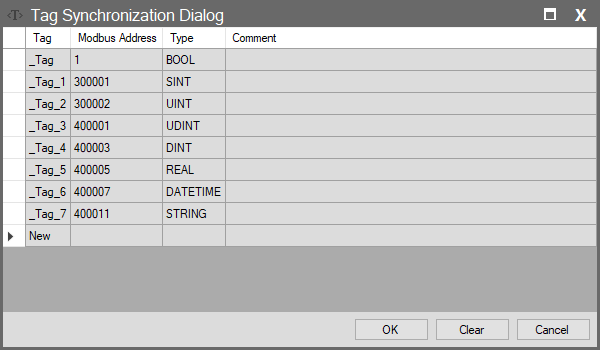
When Modbus is selected as the protocol in the Server window, configuring the Tag List is mandatory. This window determines which addresses external devices will use to access SCADA tags when you expose your Wise SCADA project to the outside world as a Modbus device (Slave).
Important Note: The addressing defined here does not have to match the fixed Modbus addresses on the Tags page. You can map the addresses freely according to your own definition and project requirements.
Column Descriptions
| Column Name | Description |
| Tag | The name of the SCADA tag to be exposed externally. |
| Modbus Address | The numeric address external devices will use to read or write this data.Addresses must comply with the standard Modbus structure: • 00000X: Coils (Read/Write) • 10000X: Discrete Inputs (Read Only) • 30000X: Input Registers (Read Only) • 40000X: Holding Registers (Read/Write) |
| Type | Data type (Determined automatically or manually). |
| Comment | Description regarding the address or usage. |