Script Synchronization
Script Synchronization
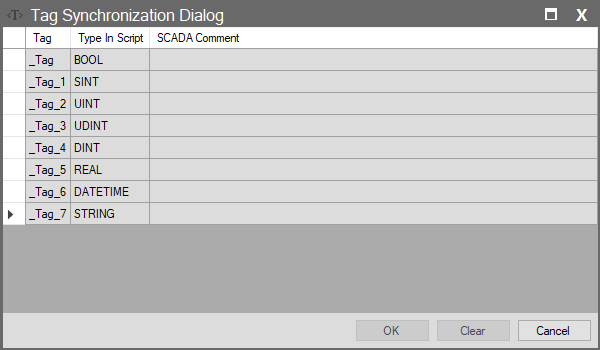
Accessed by clicking the “Tags in Script” column in the Scripts window. This window automatically scans and lists the tags used within the relevant script block.
No mapping, adding, or editing operations are performed here. The purpose of this screen is to quickly view which tags are utilized within complex code blocks and to observe their data types on the script side.
Column Descriptions
| Column Name | Description |
| Tag | The name of the tag used within the script codes. |
| Type In Script | Shows the data type of the tag within the script (BOOL, DINT, STRING, etc.). |
| SCADA Comment | Displays the description of the tag from the main database (Tags page). Provides reference to enhance code readability. |