Setup
Setup (General Project Configuration)
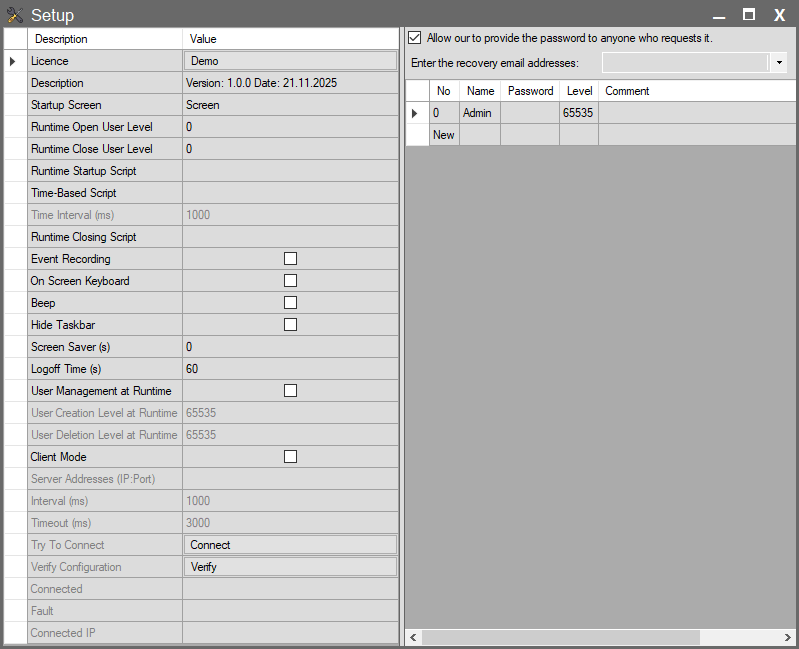
The Setup page is the backbone of your SCADA project and serves as the central hub where you define the application’s fundamental operating principles and security architecture. For ease of management, this interface is functionally divided into two main sections:
- Left Panel (General Configuration): This area is used to manage technical parameters such as the project’s license status, Runtime open/close scenarios, background scripts, and server-client connection settings.
- Right Panel (Security and Users): This is the security management area where you define operators who will access the system, determine authorization levels, and set up password recovery mechanisms.