Connection and Port Permissions
Connection and Port Permissions
1. Port Permission (Port Permission Required)
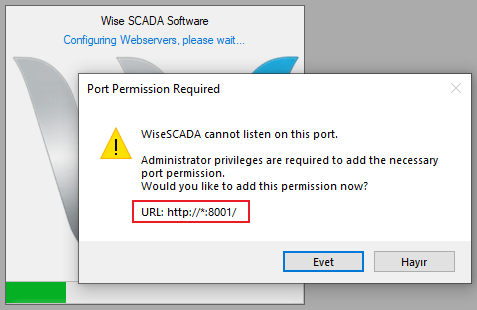
When the SCADA Runtime is started, it requires permission from the Windows administrator for the web server to listen on the specified port (e.g., 8001).
A warning window similar to the one below will appear when the Runtime starts:
You must answer “Yes” to this prompt for the web server to operate. Otherwise, the server cannot be started, and external access will not be available.
2. Connection Addresses
Once the Runtime is running, you can access the web interface via the following addresses:
- Local Access (Same Computer)
http://127.0.0.1:[PortNumber]
Example: http://127.0.0.1:8001
- Network Access (Different Device)
http://[Server_IP_Address]:[PortNumber]
Example: http://192.168.1.50:8001