User Interface
USER INTERFACE
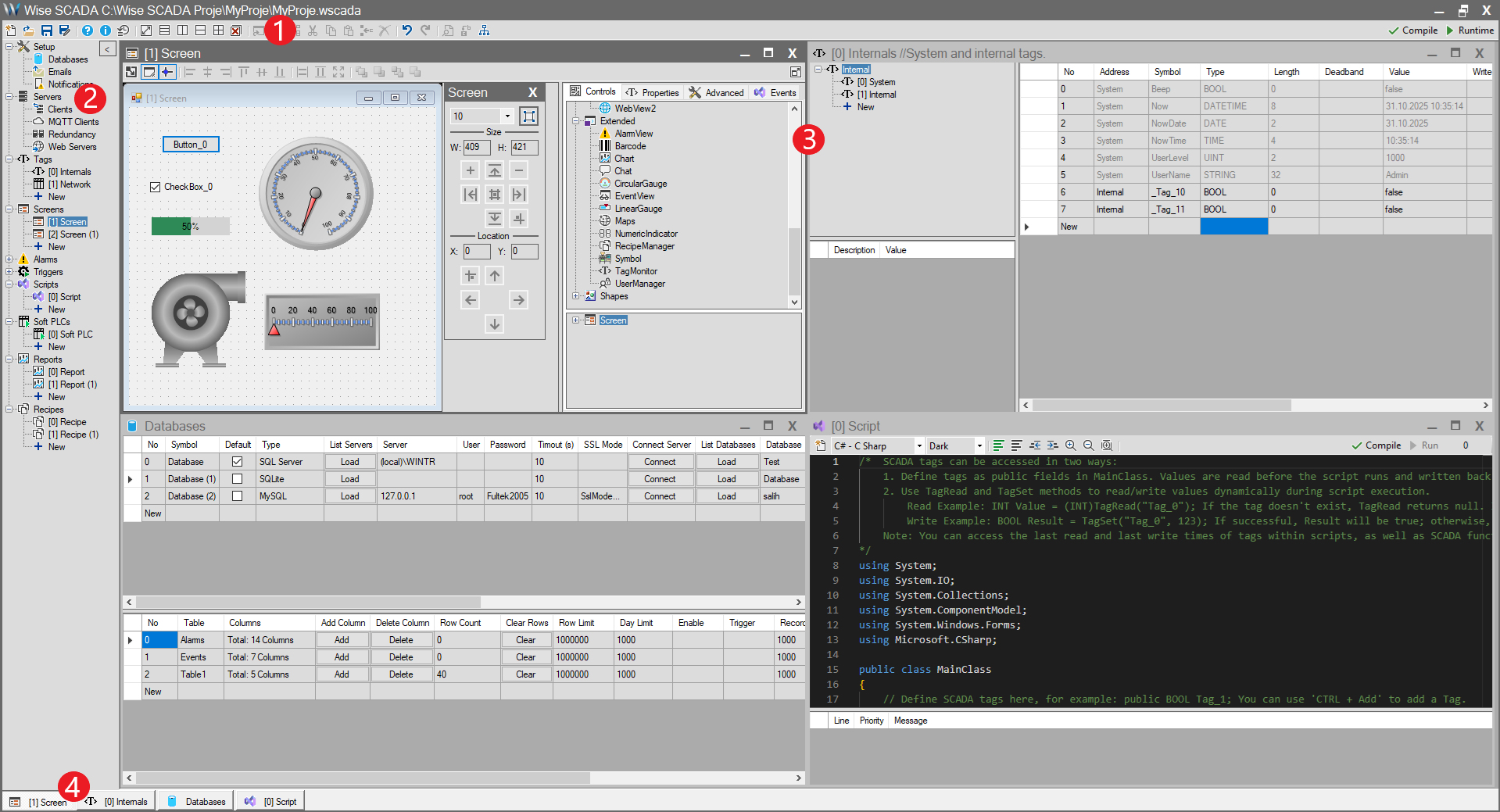
The Wise SCADA development interface is the main workspace you will use to create, configure, and manage your project.
This interface features a flexible, panel-based layout that allows you to view and edit different aspects of your project (Screens, Tags, Databases, Scripts, etc.) simultaneously. You can resize panels, drag them to different positions, or group them into tabbed views to create a workspace layout that suits your workflow.
In this section, we will introduce each of the main panels that make up the interface and explain their functions. This will help you navigate the software more efficiently and quickly locate the tools you need.
The primary components are:
- Toolbar
- Project Tree
- Workspace
- Tab Panel
The screenshot below shows the main components during a typical working session: